I just checked in the test candidate for external storage which supports Amazon S3 and FTP.
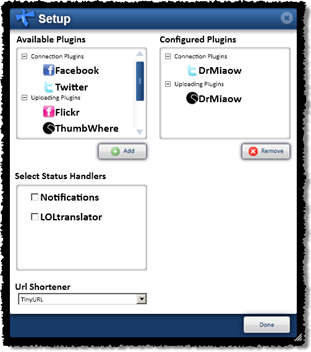
When this is deployed, API licensees can provide one or more Amazon S3 or FTP accounts and ThumbWhere will use that to store your media.
You specify an account and then a number of selectors which are used to select media for inclusion (or exclusion) with respect to a designated storage provider.
For example. You might want your videos stored in one S3 account and your thumbnails in another. In fact you might want to deploy certain thumbnails to a different type of storage altogether.
So by configuration of selectors and storage endpoints you can obtain a high degree of control over where your content is actually stored.
The system is architected to support generic storage providers via a plug-in model so I’m now investigating what others I can support in the first release. If I don’t see any easy wins then S3 and FTP will be the only ones in the first release.
I spent a good portion of Sunday writing automated tests to ensure that the core flow processor was able to handle the cases of first time deploy, revocation and update with the minimum amount of API calls and traffic. If multiple deploy instructions for the same media get into the queue, the engine is able to avoid double handling. If some of the media is modified and re-transcoded but all the media is marked to redeployment, only the media that has actually changed will be re-deployed.
You put a bit more thought into these things when you get a running bill from Amazon per API call and byte shipped. This weekends efforts added up to 3c 🙂
I’m also considering personalised storage, so actual end users of the system (members of each social network) could in theory provide their own S3 account info and have their own media shipped off to their own storage.
The media in external storage is represented by extra URL elements in the raw feed XML. The default XSLT for the account specific feeds will make this transparent by selecting a single URL and favouring external storage over files hosted on internal ThumbWhere storage.
We will start to factor this into our pricing model but the immediate effect is that this will allow you to ship most of your media traffic to cheaper storage and it will allow us to control our own storage costs.
We’ve been rather busy for the last year and a half working in the emerging interactive television market so unfortunately there has been no time or resources to devote to the public API as I’ve spent most of my time either head down coding or out of the country working with some amazing organisations.
The workload has recently started to get reasonable so I’m now looking again at deploying updates to the white site social networking site to take advantage of the last year or so of work in the commercial API.
This means that finally some of the features requested in http://feedback.thumbwhere.com that have already been implemented in the API will start to see the light of day.
Also we are taking on some pro-bono clients who have expressed an interest in using the API to make the world a batter and more interesting place. These will act as example implementations for integrating with the API. At the moment as we have been doing all of the integration, public facing documentation is a little sparse. This exercise is an attempt to do some good and get some good example code. The long term aim is to start opening up the API to a general developer community.
It’s amazing to see what people have been building with the API.
Thanks everyone for your ongoing support and encouragement.
Also you don’t have an account you can always MMS images, video and audio to +61-447-100-293 and ThumbWhere will publish it anonymously to the public feed.
ThumbWhere allows you to post text, images, video or audio to the web and to Twitter. Support for other social media and social networking sites will be enabled in the near future.
If you use Twitter on your mobile phone you will find it’s very very fast. I have no ads – I just link you directly to the media if you click on a http://tny.tw shortlink using a phone.
If you just want to post something anonymously -send images, photos or video to +61-447-100-293 and it will be added to the public feed. Anyone can send via MMS and your content will be added anonymously to the public timeline. If you later on create an account, that content will be added to your account and will no longer be anonymous, so don’t post anything embarrassing if you intend to join up in the future 🙂
I’m keeping out the email spammers for now but I’ll be enabling submissions via email in the next few weeks – at the moment you need a phone that can MMS to the submission number, so if you have an iPhone you will need version 3.0.
The main web site is a very plain lightweight AJAX driven – white-site. It does not look like much, but it’s doing some wonderful magic under the hood as it’s all driven by my state machine language. The back end is running my own custom pipeline processing engine – it’s kind of a multi-dimensional-tree lazy evaluation version of map-reduce. This architecture means that it’s trivial for me to integrate job endpoints from on demand computer systems such as Azure and EC2.
I’ve set up a site to allow people to request features. First off the rank will be submission via email.
I’m also working on an iPhone app and an Azure endpoint for much of my processing and transcoding pipeline.
Australia is gripped in debate over it’s government’s push to introduce Mandatory ISP Level Filtering. Yes and the policy is about as well thought out as it is acronymed.
Simply put, it’s related to “The Hitler Rule”and “Godwin’s Law” and is formulated thusly.
The first person to equate free speech with an unrestricted right to access child pornography, loses.
This rule has become necessary because the government seems to be using the ‘Are you still beating your wife?‘approach to anyone who questions the policy. Essentially, if you are against the filter, you must be for child pornography – we are trying to protect children from child pornography.
The proposed ‘clean feed‘is easily bypassed by a VPN (which comes for free with Windows and Apple computers) which not only masks someone’s true IP address, it also adds an extra bonus layer of encryption.
I’d argue that its easier to catch criminals when they don’t use a VPN to mask their actual IP address and encrypt their traffic. Just seems like common sense to me.
At best its going to make the incompetent pedophiles harder to catch because they will be forced to learn how to use a VPN to get what they want.
I’d also imagine that many police leads come from the inexperienced ones who get caught, and this allows police to infiltrate their social sphere. I’d like to know if anyone has any statistics, information or evidence either way that shows that a lack of encryption by one member has ever allowed the police to break up a pedophile ring.
It’s arguable that this will force them further underground and make them harder to detect, which will in effect mean that this ‘initiative’will make the Internet safer for incompetent pedophiles.
I’d suggest the Clean Feed should have the following tag-line. ‘The Clean Feed ‘ Forcing pedophiles to use stronger encryption‘. Because in the end, that’s going to be the effect. There has been no evidence presented of children ‘stumbling onto child porn’. I would argue that the clean feed would make this less likely as it would become much harder to find – so one part of their argument at least stacks up. Shame about all the collateral damage.
Looking at the Browser Global Marketshare Statistics on getclicky.com, there is an obvious 7 day cycle with 5 days high, 2 days low for IE and 5 days low, 2 days high for Firefox both in perfect sync.
My interpretation of this is that people use IE at work but on the weekend at home they use Firefox.
Im guessing it reflects IEs dominance in office Intranets and its integration into Microsofts applications (outlook webmail etc.).
On a side note it looks like Chrome is staying steady on just over 1.5%
http://qr.tl (pronounced ‘qwertle’) is a real time image manipulation service that lets you crop, compose, scale, tint, slice, dice images and generate QR codes without having to have any software installed on your webserver or PC.
There is no website for qr.tl at the moment to describe the service or to help you generate your own sets of instructions, but the service is up and running and ready for you to play with.
For now if you want to use qr.tl you need to learn the instruction format. (read on 🙂 )
The master plan for the website is to create a tool that will allow you to visually create instructions based on qr.tl templates.
For now this blog post will function as the official instructions and forum.
Here are some examples with detailed descriptions to give you a basic idea of what qr.tl can do.
This will overlay one image over the top of another which results in the following image.
If you look carefully at the URL will see that it consists of three distinct elements marked red, green and orange.
It is the execution of these instructions in the specified order that produces the end result. The aim is to end up with only one image on the stack. If you have more than one image, the server will generate an error message long the lines of.
Not very informative ‘hopefully the next release will have something to help you debug errors in your instructions.
Now if we run through these instructions one by one.
O Executes the Overlay instruction. This will take two instructions down off the stack ‘overlay the image from the top of the stack and push the result back onto the stack.
There is also an underlay instruction U. In the previous example, if you reverse the order of the image push instructions and use the U instead of O as the last instruction you will end up with the same result.
Here is another example ‘ lets say that I want to display some thumbnails on a web-site, and all I have are some larger images that are the wrong aspect ratio.
O Executes the Overlay instruction. This will take two instructions down off the stack overlay the image from the top of the stack and push the result back onto the stack.
In this case the cropping type instruction is the key.
You can choose CZ = Crop Zoom, CF = Crop Fit and CN = Crop None.
[<Oh%20hai,%20can%20Has..//>WTF!!] Annotate the image using this text.
Under The Hood In Detail
Essentially the qr.tl implements a simple image processing virtual machine. The VM consists of a ‘Stack‘of images. The topmost image on the stack has Registers (variables) that can be set by other instructions. Images on the stack can be manipulated by instructions.
(NWidthxHeightColor) Creates a new image of dimensions WidthxHeight (pixels) with a background color of Color . Color is optional. Default at the moment is Transparent.
eg.
(N100x100)
(N100x100Transparent)
(N100x100Blue)
(QSizeString) Creates a QR code based on the supplied String. Size is optional.
eg.
(Qhttp://m.twitter.com/DrMiaow)
(QTesting 1 2 3)
(Q400http://m.twitter.com/DrMiaow) Create QR code that is 400×400 pixels.
Image Register Assignment
Each image on the stack has a set of registers, By executing these instructions you are able to set the registers on the topmost image.
ADigit = set alignment
This will set the alignment. Digit is any value from 0 to 9 and corresponds with the keys on a mobile phone keypad.
This has an impact on
where an image is drawn when it is overlaid or underlain into a region where it does not take up all the available space.
where an image is placed for a join operation.
A1 = Top Left
A2 = Top Center
A3 = Top Right
A4 = Left
A5 = Center
A6 = Right
A7 = Bottom Left
A8 = Bottom
A9 = Bottom Right
CType = Set cropping type.
Sets the centering algorithm
CZ = Zoom – Image will be cropped to fit the available space.
CF = Image will be fitted resized into the available space
CN = No resize
TColor = transparency color
This defines the color that will be treated as transparent
eg.
TRed
TTransparent
TOrange
GWidthxHeight = Project a grid over the topmost image on the stack that is used in combination with the Rectangle (R) instruction
eg.,
G10x10 projects a 10×10 virtual grid over the image.
RTop,Left-WidthxHeight = Set the drawing rectangle within the grid.
eg.,
R2,2-3×3 Sets the rectangle to start at position 2,2 and be 3×3 wide. The units for this on the image are defined by the Grid (G) instruction.
TTransparency = set image transparency.
This defines the value of the transparency
eg.
T.5 = 50% transparent.
T.75 = 75%
Instructions
O = Overlay
Takes the top of the stack and the next image after that on the stack, removes them from the stack. Overlays one on the other (overlays top of stack on top of next on stack).
Overlay is influenced by several registers.
The grid and rectangle register pair defines where the overlay is performed.
The alignment register affects where the overlaid image is positioned within the rectangle.
The transparency register defines how the images are combined.
The transparency color register defines which color is treated as transparent.
U = Underlay
Takes the top of the stack and the next image after that on the stack, removes them from the stack. Overlays one on the other (underlays top of stack under next on stack).
Overlay obeys several registers.
The grid and rectangle register pair defines where the underlay is performed.
The alignment register affects how the underlaid image is aligned.
The transparency register defines how the images are combined.
The transparency color register defines which color is treated as transparent.
J = Join
Takes the top of the stack and the next image after that on the stack, removes them from the stack. Joins one image to another.
The alignment register affects how the underlaid image is aligned.
J Join the top two images to each other., Because we are using A8 (bottom) the twitter logo (top of the stack) will be placed below the next image on the stack
Notes
Its alpha so don’t be alarmed if it spits the dummy at you at some point or gives you a cryptic error.
The most common error you will get will be-
… which just means that you have either left more than one image on the stack or you have executed an instruction the requires more images on the stack than you have.
At the moment the service is open for anyone to use with some restrictions on size and dimensions of the images imported and generated. If you embed any <img> tags in your HTML that link to qr.tl generation instructions – at some point in the future they will cease to work without some kind of account with qr.tl. Yes I have plans to monetise this.
Yes you can return .png or other formats, but I’m not going to say how yet.
Some browsers may require that your instructions are strictly URL encoded http://www.w3schools.com/TAGS/ref_urlencode.asp. I’ve not seen a modern browser that still has this problem -but best practice is always to ‘urlencode’ them. Url Encoding is a standard function every web development language I have seen.
And BTW – This is my presentation for WebJam 08 Sydney Australia so if this post seems a little scattered its because its kind of half blog, half crib sheet for a 3 minute presentation.
JavaScript Finite State-Machine Engine
What is a Finite State Machine?
finite state machine (FSM) or finite state automaton (plural: automata) or simply a state machine, is a model of behavior composed of a finite number of states, transitions between those states, and actions. A finite state machine is an abstract model of a machine with a primitive internal memory. Source: Wikipedia
The state-machine is a formalised description of the possible states of a system. States are either ‘active’ or ‘inactive’. My state-machine is multi-dimensional (states have sub-states) and multi-state (more than one state can active).
The state-machine description consists of an XML file that describes a list of states and a legal ways for transitioning between those states.
Each state has a collection of sub-states which can only be active if their parent is active.
Each state has…
A list of passive rules for validating states which allow for a degree of asserting contracts between states.
A state can ‘exclude’ another state. Which is a way of saying that if this state is active then the other state should be inactive. If not, a fault will be indicated by an exception.
A state can ‘include’ another state. Which is a way of saying that if this state is active then the other state should also be active. If not, a fault will be indicated by an exception.
A list of passive rules that describe how a state is affected by the activation of other states or the return from JavaScript calls.
A state can require that a state is active or inactive.
And require that a JavaScript function returns true. Any sub-state automatically requires its parent state. If you find a state requires only one or more states to be active then it should probably be a child of one of those states.
A list of active rules that describe how a states can control that activation of other states.
A state can ‘negate’ a specified state in which case when the state becomes active it will try and make the specified state inactive.
A state can ‘affirm’ a specified state in which case when the state becomes active it will try and make the specified state active.
A list of triggers that are fired when the pattern of active states changes.
The trigger is the call to a JavaScript function.
A trigger can fire when a states ‘enter’ (become active).
A trigger can fire when a states ‘exit’ (become inactive).
A trigger can fire when two specified states transitions ‘from’ or ‘to’ active/inactive between determining states.
A state can have a lock which forces it into its current state until the state machine is reset.
The state machine has the following public accessible JavaScript functions
MetaWrap.State.testState(stateName) – Returns true if the named state is active
MetaWrap.State.negateState(stateName) – Tries to set the named state to inactive then determines the new state and fires transitions. Returns true if state is ‘inactive’
MetaWrap.State.affirmState(stateName) – Tries to set the named state to active then determines the new state and fires transitions. Returns true if state is ‘active’
MetaWrap.State.flipState(stateName) – Flips the named the named state from active to inactive or visa versa. Returns true if state is was flipped.
MetaWrap.State.determineState() – Calculates the current state. Called after changes to the model are made that may require the state machine to re-evaluate.’
JavaScript State Machine Examples
Toaster Example
NOTE This wont work in Safari or Opera.. yet. Neither of these browsers support client side XSLT. Im working on a simple solution for this.
My first serious example was to model a simple toaster in a way that used most of the functionality of the state machine.
I wanted to model two classes of behavior.
The first are based on the explicit physical properties of the toaster (power on/off, bread in/out, lever up/down). I added the typical toaster behavior that you cant push the lever down if the toaster is not on.
The second are based on the higher level states build up on the physical states, for instance if the power is on, the bread is in and the lever down, then the toast is cooking. I have also added the state where if you put the lever down after the toast has cooked, it will burn the toast.
Tic Tac Toe Example
I think it was Lela who suggested that I try and model Tic Tac Toe. So I sat down and defined the finite state machine.
NOTE This wont work in Safari or Opera.. yet. Neither of these browsers support client side XSLT. Two Simple solutions soon.
One pleasant surprise is that formally describing the states as a whole makes you think about them as a .. whole 🙂 . And the formal description can make some things obvious. For example. In the way I modeled Tic Tac Toe, it could be Xs turn or Os turn.
And I set it up for one to deny the other (note that x_turn defaults to true, so X goes first). This means in the JavaScript my code is nice and simple.
Once the game is over, whos turn is it? There is a fault in my current model that became obvious after examination. I thought I was being clever by inversely relating x_turn and o_turn because it gave me a way of tracking the turn inside of the state machine which would then flip the current state.
However at the end of the game when I want to make it nobody’s turn, if I negate x_turn, o_turn becomes true and then when I negate o_turn, x_turn becomes true. I solved the issu
e by locking the turns.
Im probably going to modify lock so that you can specify a value to lock it on and get it to suspend all further affirmations and negations down the chain, but I need to work out what the implications for that could be.
So you say thats really . neat and BTW how is the Aspergers treating you? but how can we use this in web development?
My thesis is, in a nutshell that as developers we often end up dealing with complex logical situations in a user interface that are best explained by this sketch from Monty Python’s The Meaning Of Life.
MR HUMPHREY: I begin the lesson, will those of you who are playing in the match this afternoon move your clothes down onto the lower peg immediately after lunch, before you write your letter home, if you’re not getting your hair cut, unless you’ve got a younger brother who is going out this weekend as the guest of another boy, in which case, collect his note before lunch, put it in your letter after you’ve had your hair cut, and make sure he moves your clothes down onto the lower peg for you. Now,– WYMER: Sir? MR HUMPHREY: Yes, Wymer? WYMER: My younger brother’s going out with Dibble this weekend, sir, but I’m not having my hair cut today, sir. So, do I move my clothes down, or– MR HUMPHREY: I do wish you’d listen, Wymer. It’s perfectly simple. If you’re not getting your hair cut, you don’t have to move your brother’s clothes down to the lower peg. You simply collect his note before lunch, after you’ve done your scripture prep, when you’ve written your letter home, before rest, move your own clothes onto the lower peg, greet the visitors, and report to Mr. Viney that you’ve had your chit signed.
Monty Python Sex Education Sketch From The Meaning Of Life 0:15 to (0:40 short) – (1:12 full)
Now, like me your probably written an application with a user interface that ends up after a few rounds of maintenance and changes with complex logic all over the place and a single change results in unpredictably strange consequences. As you make changes to this the code complexity grows. As developers, the best we have been able to come up with is MVC, which puts all that logic in the controller, however this is distributed throughout the source code files of the controller and there is no guarantee that you won’t end up dabbling in the Kafkaesque.
Two random images from the web describing Model View Controller
Decoupling this description as much as possible from the the Views.
Allows those rules to be provable and enforced via contracts.
Allow the system to be intelligent enough that it exhibits emergent behavior via its logical roots, this emergent behavior can then be leaned upon and provide complex yet intuitive behaviors to users for free.
My aim was to break the controller up into a state machine based rules system and a layer that could mediate between the state and view. The states could be mathematically provable with contracts ensuring that no illegal state combination could be entered. Combining this with a direct mapping layer between states and views, could result in a lot of code being abstracted away into the state machine and result in a more compact code-base.
A state machine interrogates a model via user defined JavaScript functions.The state view map defines what views and aspects of the view should be visible and triggers their display.
Aspect Orientated Views In JavaScript
Lets start with a simple HTML based template system which exposes something I can control with the state machine.
The basic thing we need to control is a View so I recycled a JavaScript template engine system I built in late 2005.
I desired a system that enabled me to edit and compose the CSS and HTML without special tool chain or publishing or ingestion process slowing me down. Ideally wanted to allow people to use WYSIWYG editors or preview a template browser. Quick feedback for developing CSS.
I use a <span> inside of a <div>. Working on making this more compact. Can have multiple spans inside of a div to provide alternative view. At the moment the templating system prototype works on server side as well so I can strip out elements and send fragments back up from the server.
I built this about a year before AJAX.NET came out but was thrilled that it did the same kind of fragment update. Obviously on the right track.
May end up with span only notation. At the moment this gives me more flexibility at the cost of forcing the developer to add <div>s at logical locations which may or may not be a bad thing.
So I can see everything in the base view in activated state. If I want to edit in a particular state I play with CSS to show hide what I want.
I want this aspect based and I want the aspects to cross multiple parts of a page and across views so I added aspects.
Eg the Logged in aspect.
So if I turn on the aspect loggedin these will show unless they are inside an aspect that is off. Aspects are hierarchical. Visibility obeys the laws of physics.
So consider this statemachine and in particular the part for managing the classical Web 2.0 Invite system.
So now we need to map between the states and the views
The State View Map
The state view map is a formalised description of mappings from a state to a view and a set of aspects of that view.
A state view map description consists of a list of states and the pages and aspects that should be visible.
A state can be mapped to a particular page so if that state is true then it switches to that page/view.
A state can be mapped to an aspect. For this example check out the invite mappings. This is a very simple example I only have three minutes! 🙂
Bringing it all together in an application. Template for the view. If you include the history iframe it will do the classic AJAX history tracking.
The function that starts it all.
Every time there is a key hit in the invite email input, we re-determine the current state.
When we re-determine the state the state machine definition knows that for the send invite button to be ready we need to return true from isInviteReady()
And that function simply returns true if there is a regex match on an the content of the invite email field.





[SMS%204223G33K//]A9G20x20R12,12-7x7(Qhttp://m.twitter.com/DrMiaow)OA8(http://assets1.twitter.com/images/twitter_logo_s.png)J)


 James McParlane's Blog
G10x10R1,1-8x8(Q100http://qr.tl/)O(http://img2.freeimagehosting.net/uploads/f9efc01cee.png)J)
(http://upload.wikimedia.org/wikipedia/commons/thumb/7/70/Censored_rubber_stamp.svg/550px-Censored_rubber_stamp.svg.png)O)


(http://www.watchingcw.com/wp-content/uploads/2008/07/kittens.jpg)U)

CZ(http://www.watchingcw.com/wp-content/uploads/2008/07/kittens.jpg)O)
(Qhttp://m.twitter.com/DrMiaow)J)

%5BWTF)

)
